
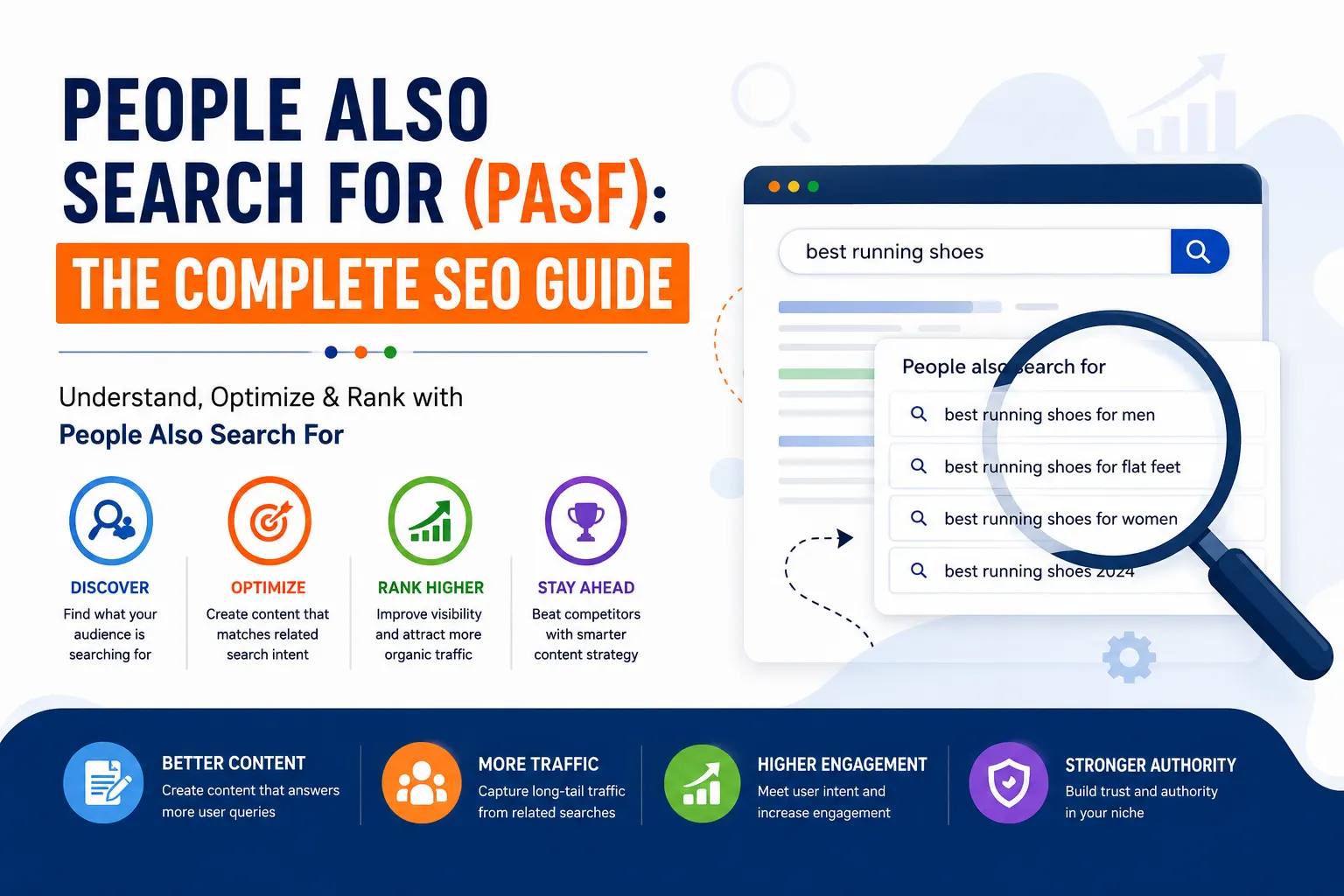
You’ve probably seen the “People Also Search For,” feature, even if you don’t know what it is. When you click a Google result, go back, and suddenly see a new row of suggestions, that’s it. Most SEOs ignore it. Because of this, you should start paying attention.
What is People Also Search For?
People Also Search For is a Google feature that shows related search queries under individual search results. They usually show up after you click a result and go back to the search page, but can sometimes show up directly in the results without you having to click anything.
People Also Search For is behaviorally triggered, and is different from Related Searches, which is a box at the bottom of Google. Because People Also Search For is triggered by people’s behavior, it shows what people looked for after the original search. This means it is a signal of what people also looked for after the search. It is a signal of what user intent is, which means what users were ultimately trying to look for, but were having a hard time finding.
To show what People Also Search For is, here’s an example. If you search “email marketing tips,” click the result, and then go back, you may see People Also Search For results like: “email marketing tips for small businesses,” “email marketing tips to increase open rates,” or even “email marketing tips 2026.” These are the places where users were trying to get information, but unable to find it, which is where you should try to rank.
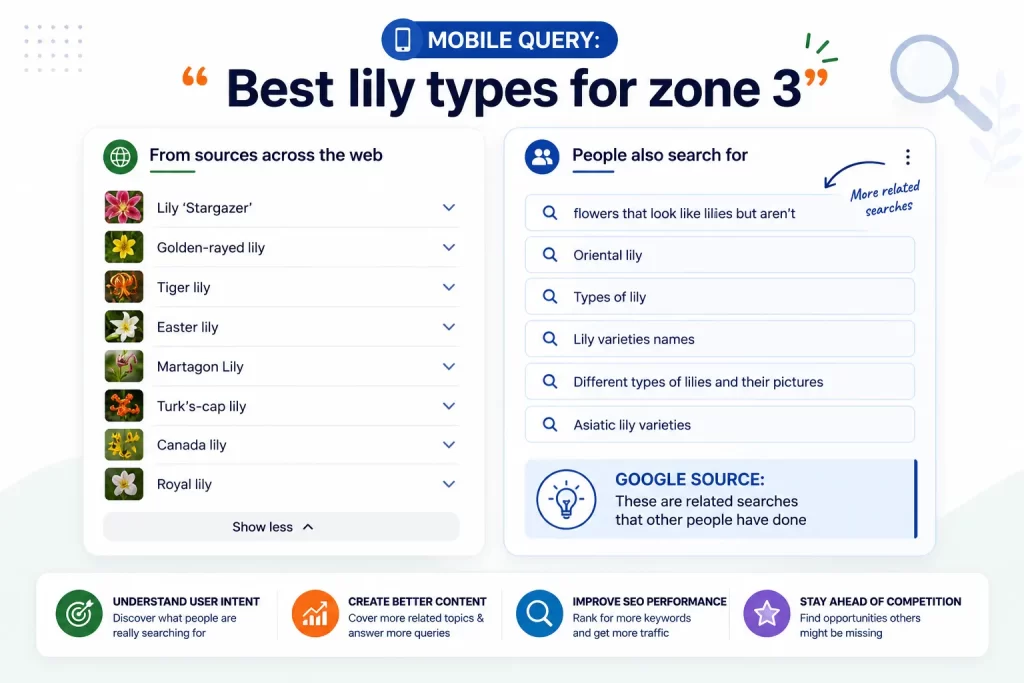
Where Does People Also Search for Show Up?
People Also Search For shows below search results, so you won’t see it at the bottom or top of the results. Each search result shows below a People Also Search For box that is specific to that search, and results pages can show search results above a People Also Search For box. Because of this, there can be multiple People Also Search For boxes on a results page, and People Also Search For boxes are also changing based on how quickly the search trends, what is trending, and how people are searching.
Why People Also Search For is Important For SEO
Most SEOs don’t see People Also Search For as a user experience feature.
It’s an intelligence engine for keywords, and it is perhaps the only one that your competitors are unaware of utilizing. Here’s why it should be part of your plans:
- Real user intent. PASF searches are the result of what was really searched for and what follows. This is what exposes the gap between what should have been found and what was desired by users.
- The long-tail keyword use case. The majority of PASF predictions are long-tail keywords, and therefore gaps exist in completion, conversion, intent, and ranking.
- Real-time trend tracking. The passages and surfaces are continuously updated. Though user interests may change, the variations are updated in real-time and therefore appear to be different.
- Competitor content gaps. PASF displays what users want and what goes unexplained. In one research session, endless gaps are able to be discovered.
- The added visibility of the SERP. It extends beyond your primary keyword. The pages multiply the organic reach of single backlinks.
Using PASF for Keyword Research: A Step-by-Step Guide
These are the steps to creating a keyword list that reflects the real user searches and not what the tools project.
Step 1: The primary keyword
Enter the keyword into Google. Do not click and instead write what People Also Ask and Related Searches show.
Step 2: Click the result, and return to the previous
Click on the first result and stay on it. Then, hit your browser’s back button.
The PASF box is now shown immediately below the result. Be sure to take a screenshot or write down anything you can see.
Step 3
For all the results that show on page one, do the same. Since each result carries its own PASF cluster, this will allow you to get 30 to 60 different keyword ideas from a single term.
Step 4
To be sure, do a keyword range to check from the results from Google Search Console, Ahrefs, or SEMrush. To look, pick a range where keyword difficulty along with volume check range results. Discard anything that relates to this, and that has no search volume.
Step 5
Build a content map grouping by intent. Grouped by keyword content results, clustering determines the grouping within the content ie., whether a new content piece is to be built or an old content piece needs to be completed. Your content map should clearly meet the needs and interest of the audience.
Additional PASF Optimization Suggestions
Final suggestions: Run the PASF step in each of the browsers by each of the devices. Be in an incognito wan to check both. A step from PASF will show different results from a mobile device to those from a desktop device. For instance, queries in PASF on mobile just show shorter, direct, high-intent queries that show no results on desktop.
PUL at the top of this subsection summarily presents the current step from PASF in the content you built. Getting your page to be a PASF suggestion is a result of optimizing the PASF step suggestions and driving high quality content with existence of core SEO.
Answer the PASF suggestion. PASF queries show the first query as an Optimus exalog question or question type. For further answer do so in the header or in the first opened line in that section.
DO NOT ENCOURAGE HIGH KEYWORD DENSITY FOR PASF. He and many others reward PASF by deepening the subject of the topic rather than being grasped shallowly by many keywords.
In the PASF system, pages organized with thorough answers to sub-questions, associated topics, and further inquiries will more likely get integration compared to pages mashed with keywords.
Use structured data, for example, with the addition of FAQ schema, HowTo schema, or Article schema. These schemas help Google clarify what question your content is responding to and correlate your content to other relevant searches.
Reverse PASF engagement triggers. PASF shows the page after a user bounces back from a result to find other alternatives. Google will see a page with a high bounce rate as users have not found the needed info, which further reduces the chances of appearing in PASF.
How to Measure PASF Appearance
Google Search Console (Free and Essential) is crucial for filtering queries to analyze PASF appearances. If content is appearing under PASF with no clicks, this is also not a content issue. It is the title or meta description that needs adjustment.
Position tracking for various PASF clusters should be created in either Ahrefs or SEMrush. If a result jumps from position 12 to 4 under a PASF targeted result, the chances of the PASF will increase.
With the GA4 behavioral segments, establish audience segments that include PASF targeted long-tail queries. PASF traffic should convert the target audience.
Common PASF Mistakes
- Thin pages targeting PASF keywords.
PASF keywords become functional once the pages they reside on have topical authority. So, for example, pages that are not statistically significant will not serve the PASF boxes, regardless of which PASF term you apply.
- Thinking PASF is static.
PASF is an evolving animal. Keywords can ascend today and plunge into the abyss of oblivion next week because of constantly volatile whims of greater interest. Integrate a routine that reviews keywords on a monthly basis.
- Mobile PASF is ignored.
PASF is mobile-different than PASF on desktop. Before you establish a keyword list, make sure you check both realities.
- Competitor PASF research is neglected.
Before you establish a PASF list, you should conduct PASF research on your competitors’ focus topics (not their company names).
Frequently Asked Questions Concerning PASF
1. What’s the difference between PASF and “People Also Ask”?
“People Also Ask” (PAA) shows questions that are expandable, and are situated near the top of the results page, there, before you click anything. PASF shows up beneath the results after you’ve clicked and returned. PAA is a manifestation of question framework; PASF is a manifestation of next step user queries that indicates a user search that lacks answers.
2. Is there a way to make my site show up in PASF?
It’s not possible to say no and to still be accurate. PASF is a function of the Google algorithm, and you cannot submit anything. However, what you can do is the standard SEO routine, putting topically authoritative content on your pages using schema, and tracking your engagement statistics.
3. How frequently could PASF change?
PASF could have the potential to change daily for topics that are agog, and once weekly for topics that are less in-demand.
News cycles, seasonal trends, and algorithm changes can make suggestions seem random. Review your PASF keyword clusters at least once a month.
4. Search Volume: Are PASF Keywords Influential?
At least half PASF keywords are long-tail, with individual volume at the low-to-moderate end. However, this doesn’t make them valueless. PASF keywords can inspire a page that can rank for 15 long-tail keywords. They can generate more traffic, and most often converts better, than a page that ranks for one keyword at high volume.
5. Does PASF Work for Other Languages, Not Just English?
Certainly. PASF is seen across Google’s international searches in most other languages. With international SEO, you should search PASF with your target country instead of google.com, because the suggestions will significantly showcase search behavior and tendencies.
Final Thoughts
PASF is arguably the most underused of the Signals in Search Engine Optimization. PASF shows what searchers want but do not find. It is, basically, users saying, from Google, ‘Here is your data, and this is what we want.’ PASF can help develop better keyword lists and better, and more focused, content that will let you gain searches beyond your normal scopes.
Although you only need to develop one, use the PASF technique, and your content generation knows no bounds. The ideas will far surpass what you can even possibly fit in your content calendar.
ABOUT THE AUTHOR
Content written by — Saurabh Sharma
Saurabh is part of the expert content marketing team at ZoomIntoWeb. He has an expertise of curating meaningful information that can be used by visitors in general. Saurabh is also involved in creating client-specific stories and blogs.

Comments are closed